Forge of Empires Arctic Harbor 2026: The Ultimate Powerful Guide to Maximize Your Arctic Gameplay and Dominate the Future
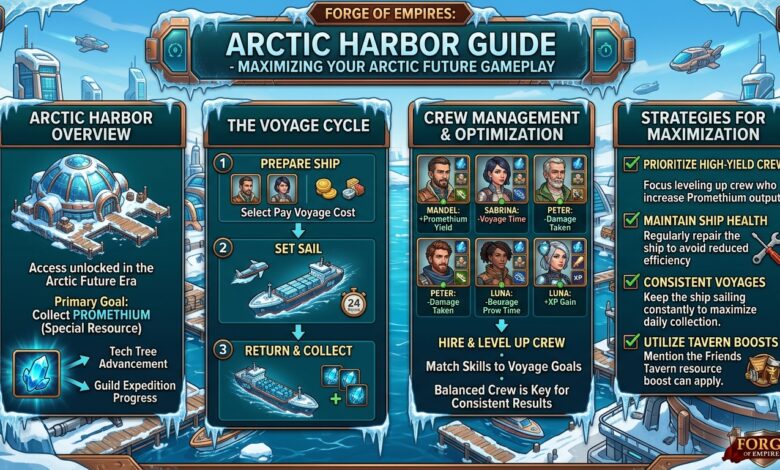
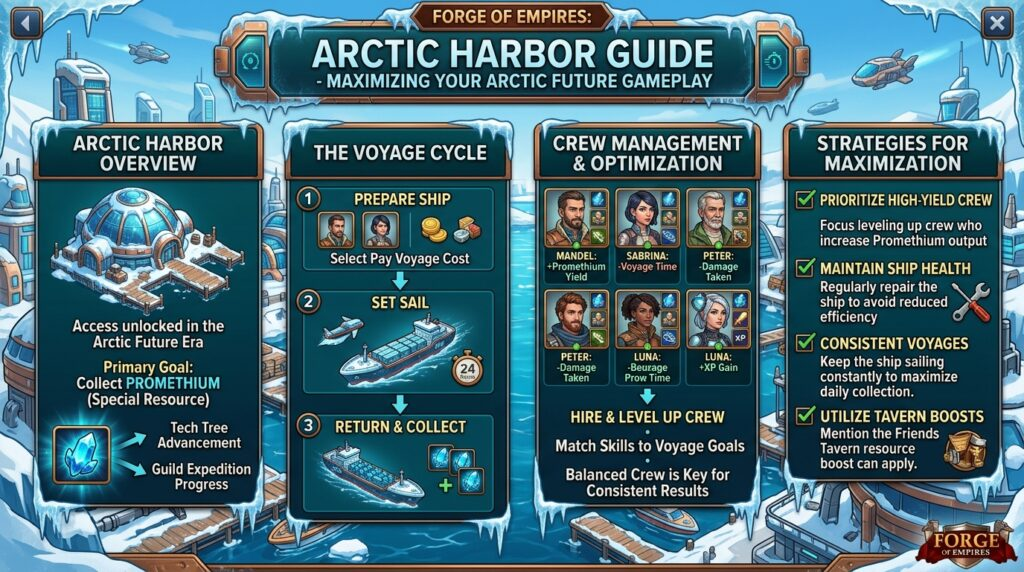
The Arctic Harbor is one of the most critical and unique features introduced in the Arctic Future era of Forge of Empires. This specialized port facility serves as the gateway to the Arctic continent, allowing players to produce advanced goods, recruit special units, and expand their empire into frozen territories. Unlike standard production buildings in the game, the Arctic Harbor operates on its own resource system involving Promethium and Arctic Goods, making it a standalone strategic element that requires dedicated attention. This comprehensive guide will walk you through everything you need to know about the Arctic Harbor, from unlocking requirements to advanced optimization strategies.
What Is the Arctic Harbor in Forge of Empires
The Arctic Harbor is a special continental harbor building that becomes available when you reach the Arctic Future age. It functions as your base of operations for exploring and exploiting the Arctic continent. The harbor allows you to send out expeditions, extract Promethium, produce Arctic Goods, and ultimately recruit powerful Arctic units such as the Battle Fortress and the Arctic Sniper. Unlike regular goods buildings that use coins and supplies, the Arctic Harbor relies on a combination of time-based production cycles and expedition mechanics.
How to Unlock the Arctic Harbor
To unlock the Arctic Harbor, you must first complete the Arctic Future storyline and research the Arctic Harbor technology in the tech tree. This technology is located near the beginning of the Arctic Future era and requires you to have completed the Tomorrow Era and the Future Era completely. Once researched, the Arctic Harbor appears as a separate building adjacent to your main city, not as a standard building that occupies city grid space. This distinction is important because the harbor does not compete for limited city expansion slots.
Key Resources Managed by the Arctic Harbor
PromethiumPromethium is the primary resource associated with the Arctic Harbor. It functions similarly to Orichalcum from the Oceanic Future but with its own unique mechanics. Promethium is required to unlock new Arctic sectors, produce Arctic Goods, and trade for special items. You generate Promethium by sending out the Promethium Expedition, which is a time-based expedition that can be initiated from the harbor interface. Higher-level sectors produce more Promethium per expedition.
Arctic Goods
Arctic Goods are the regional goods of the Arctic continent. These include Arctic Timber, Arctic Coal, Arctic Iron, and Arctic Steel. These goods are necessary for negotiating with Arctic continent sectors, unlocking new technologies, and producing certain Arctic units. You produce Arctic Goods by assigning specific production queues at the harbor, which consume Promethium as a catalyst material. The production ratio varies depending on which goods you prioritize.
Arctic Harbor Interface and Core Mechanics
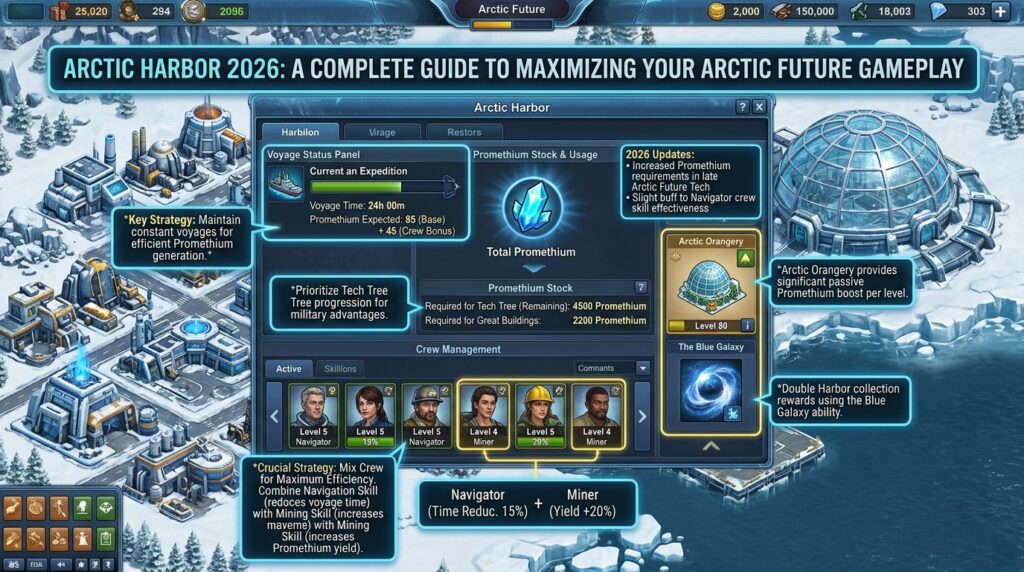
The Arctic Harbor interface consists of several key sections. The Expedition panel allows you to send out the Promethium Expedition, which takes a set amount of time and returns a fixed amount of Promethium. The Goods Production panel lets you convert Promethium into specific Arctic Goods over time. The Sector Map displays the Arctic continent grid, showing unlocked territories, available sectors, and special resource nodes. The Recruitment panel becomes active once you have unlocked certain sectors, allowing you to train Arctic units using Arctic Goods.
The harbor operates on a cycle system where each action has a duration ranging from 4 hours to 24 hours. Unlike standard production buildings, you cannot use time-reducing items like Motivational Kits or Finish Special Production items on the Arctic Harbor. This makes planning and timing essential for efficient progression.
Exploring the Arctic Continent Through the Harbor
The Arctic continent is divided into multiple sectors, each requiring a specific amount of Promethium to unlock. Once unlocked, a sector provides passive Promethium generation and may unlock special features such as new Arctic Goods recipes or unit recruitment options. Some sectors contain resource deposits that increase the yield of specific Arctic Goods when developed. The exploration process follows a linear path initially but branches out as you progress deeper into the continent.
Each sector unlock costs Promethium but provides a permanent increase to your Promethium expedition yield. This creates a positive feedback loop where investing Promethium into sector unlocks ultimately increases your Promethium income. Prioritizing high-yield sectors early is a key strategic decision.
Producing Arctic Goods Efficiently
Arctic Goods production requires both time and Promethium. Each goods production cycle has a base duration of 8 hours, though this can be reduced through certain sector bonuses. The conversion rate is not one-to-one; producing a batch of Arctic Timber might cost 50 Promethium and yield 100 Timber, while Arctic Steel might cost 200 Promethium and yield only 40 Steel due to its higher value.
You should balance your Promethium expenditure between unlocking new sectors and producing goods. A common mistake is spending all Promethium on goods production, which stalls continent expansion and limits long-term growth. A recommended ratio is to allocate 60 percent of Promethium to sector unlocks and 40 percent to goods production until you have unlocked all major sectors.
Arctic Units and How to Recruit Them
The Arctic Harbor allows recruitment of two unique military units: the Battle Fortress and the Arctic Sniper. The Battle Fortress is a heavy unit with exceptional defensive stats, making it ideal for holding positions in Guild Battlegrounds and Guild Expeditions. The Arctic Sniper is a long-range unit with stealth capabilities, effective against most light and ranged units.
To recruit these units, you must first unlock specific Arctic sectors that contain military installations. Each unit requires a combination of Arctic Goods and a small amount of Promethium. Recruitment takes 4 hours per unit, and you can queue multiple units simultaneously. These units do not require population or happiness, making them valuable additions to any military roster.
Arctic Harbor vs. Oceanic Harbor: Key Differences
Players who have experienced the Oceanic Future often confuse the Arctic Harbor with the Oceanic Harbor. While both serve as continental gateways, the Oceanic Harbor uses Orichalcum and produces Oceanic Goods, and its expeditions are tied to the main city clock. The Arctic Harbor operates on a completely independent timer system and does not interact with the Oceanic Harbor mechanics. Additionally, Arctic units cannot be used in Oceanic continent maps, and vice versa. You must manage both harbors separately if you have progressed through both ages.
Daily Routine for Arctic Harbor Optimization
Maximizing your Arctic Harbor output requires a consistent daily routine. Log in at the same time each day to collect completed expeditions and goods productions. Immediately restart the Promethium Expedition using the longest available duration, typically 24 hours, as this provides the best Promethium per hour ratio. Check your Arctic Goods inventory and start production of any goods that are running low, especially if you are actively negotiating continent sectors. Every two to three days, evaluate whether you have enough Promethium to unlock another Arctic sector. Prioritize sectors that offer production bonuses or unlock new unit types.
Advanced Strategies for Long-Term Arctic Harbor Success
Advanced players use several strategies to squeeze extra value from the Arctic Harbor. One technique involves stockpiling Arctic Goods during off-peak times and using them during Guild Battlegrounds seasons when Arctic units provide tactical advantages. Another strategy focuses on unlocking all Arctic sectors before producing large quantities of high-tier Arctic Goods, as later sectors often increase production efficiency. Some players maintain a buffer of 2000 Promethium at all times to take advantage of sudden opportunities or event quests that require Arctic-related tasks.
Avoid the common pitfall of converting all Promethium into Arctic Goods immediately. Promethium is the bottleneck resource, and once spent on goods, it cannot be recovered. Always keep at least 500 Promethium in reserve for unexpected sector unlocks or special event requirements.
Event Quests and the Arctic Harbor
Many Forge of Empires events include quests that involve the Arctic Harbor, even for players who have progressed beyond the Arctic Future. These quests often require producing a certain amount of Arctic Goods or completing a Promethium Expedition. Having an active Arctic Harbor allows you to complete these quests quickly. If you have moved past the Arctic Future, your Arctic Harbor remains functional and continues producing resources indefinitely. This makes it a valuable long-term asset for event completion.
Troubleshooting Common Arctic Harbor Issues
Players frequently encounter issues where the Arctic Harbor appears locked or unresponsive. This usually occurs because the Arctic Future technology tree prerequisite is incomplete. Verify that you have researched the Arctic Harbor technology specifically. Another common issue is insufficient Promethium to initiate expeditions. Check that you have collected all completed expeditions from the harbor interface, as uncollected resources will prevent new expeditions from starting. If the sector map shows no available sectors, you may have exhausted all Arctic continent expansions, which is possible after reaching the Virtual Future age.
Arctic Harbor and Guild Contributions
Arctic Goods can be traded with guild members through the guild treasury if your guild has activated the relevant trade channel. However, Arctic Goods cannot be traded on the open market like regular age goods. This limitation makes self-sufficiency important. Guilds that coordinate Arctic production can stockpile Arctic units for Guild Battlegrounds defenses, creating a strategic advantage that opposing guilds cannot easily counter without their own Arctic Harbors.
Future-Proofing Your Arctic Harbor
The developers of Forge of Empires continue to release new ages beyond the Arctic Future. While the Arctic Harbor does not receive major updates after the Virtual Future, it remains functional and useful. Players in the Space Age or Jupiter Age can still use their Arctic Harbor to produce goods for event quests and recruit units that remain effective in certain game modes. Do not neglect your Arctic Harbor just because you have advanced past the Arctic Future. A few minutes of maintenance per week keeps this valuable asset ready for any future content that might interact with it.
Frequently Asked Questions About the Arctic Harbor
Q1: Can I use diamonds to speed up Arctic Harbor productions?
No, diamonds cannot be used to speed up Promethium Expeditions or Arctic Goods production. All processes at the Arctic Harbor operate on fixed timers that cannot be accelerated with any premium currency or items.
Q2: How many Arctic sectors can I unlock in total?
There are 28 unlockable sectors in the Arctic Continent. Each sector requires increasing amounts of Promethium, with the final sectors costing over 5000 Promethium each. Unlocking all sectors takes approximately 3 to 6 months of consistent daily management.
Q3: Do Arctic units count toward my military unit cap?
Yes, Arctic units occupy space in your military unit storage just like any other age units. You cannot exceed your maximum unit capacity regardless of where the units are recruited from.
Q4: Can I sell or delete my Arctic Harbor?
No, the Arctic Harbor cannot be sold, deleted, or stored. Once unlocked, it remains permanently attached to your city. This design ensures you always have access to Arctic content if you need it for future quests.
Q5: What happens to my Arctic Harbor if I age up to Virtual Future?
Your Arctic Harbor remains fully functional exactly as it was in the Arctic Future. You can continue producing Promethium and Arctic Goods indefinitely. No Arctic Harbor features are removed or reduced when you progress to higher ages.
Q6: Is there a limit to how much Promethium I can store?
No, there is no maximum storage limit for Promethium. You can accumulate as much Promethium as you want over time. However, Arctic Goods are capped at the same limits as regular age goods based on your current age.
Q7: Do guild bonuses affect Arctic Harbor production?
No, guild bonuses do not affect Promethium expedition yields or Arctic Goods production speeds. The Arctic Harbor operates completely independently from guild mechanics except for the ability to trade Arctic Goods through the guild treasury.
Q8: Can I use Arctic units in the Guild Expedition?
Yes, Arctic units are fully functional in Guild Expeditions, Guild Battlegrounds, PvP Arena, and all standard combat encounters. They perform best against units from the Arctic Future and earlier ages.
Conclusion
The Arctic Harbor stands as one of the most unique and rewarding features in Forge of Empires. By understanding its resource systems, expedition mechanics, and strategic trade-offs, you can transform this harbor from a passive building into a powerful engine for progression. Consistent daily management, smart sector prioritization, and balanced resource allocation are the keys to mastering the Arctic Harbor. Whether you are just entering the Arctic Future or you are a veteran player looking to optimize every aspect of your empire, the Arctic Harbor offers lasting value that extends far beyond its original age. Invest the time to learn its systems, and you will reap the rewards in every future era of the game.